
Operations Partnership
Behavioral Health Practice Operations
Our Operations Partnership runs behavioral health practice operations with your team, from $3,500 a month. Someone besides the owner keeps scheduling, credentialing, billing and the EHR moving together, and you know what’s open, what’s stuck and what needs your decision.
Book A 20-Minute Fit CallWhat A Useful Operations Deliverable Looks Like
Advice only helps if your team can use it. So what we hand back, per the written scope, is something staff can work from, like a corrected workflow, a checklist, a folder structure that makes sense or a recurring review with you.
- A workflow where every step has a name on it. Each step says what starts it, who does it, what they need to do it, who gets it next and how you can tell it’s done.
- A provider onboarding plan. Hiring, payer enrollment, EHR access, training and the first billing review happen in the right order, so a new provider isn’t seeing a payer’s patients before that payer has them on file.
- Policies staff can find and trust. There’s one current copy with a named owner, only the right people can edit it, and changes get reviewed.
- An owner update you can act on. It shows what got done, what’s still open, who’s doing what next and the decisions only you can make.
If work keeps landing back on the same person, start with the clinic handoff checklist, and if staff are working from different versions of the same document, read who should be able to edit policies and templates. Both walk through the practical checks we run before we’d recommend a system change.
What Practices Bring Us In For
Follow Up Across The Practice
Someone who stays on it, so billing, credentialing, intake and EHR work stop pulling against each other.
A Clear View For The Practice Owner
A plain read on what’s on track, where the drag is, and what needs a decision.
Experienced Help Without Building A Full Back Office
Cross-functional coverage, so you don’t have to hire a billing director, a credentialing coordinator and an ops manager separately.
More Consistent Daily Operations
Everyone knows what comes first, and new problems land with a named person instead of on your desk. That’s what growth actually sits on.
KPI Visibility
See What Needs Attention Across The Practice
One readable view of what’s moving in billing, credentialing, intake, scheduling and the EHR. You won’t need anyone to interpret a dashboard for you. When you have no visibility into your numbers, the Command Suite puts open tasks, blockers and who owns each one on one screen, so you can decide instead of chasing updates.
Book A 20-Minute Fit Call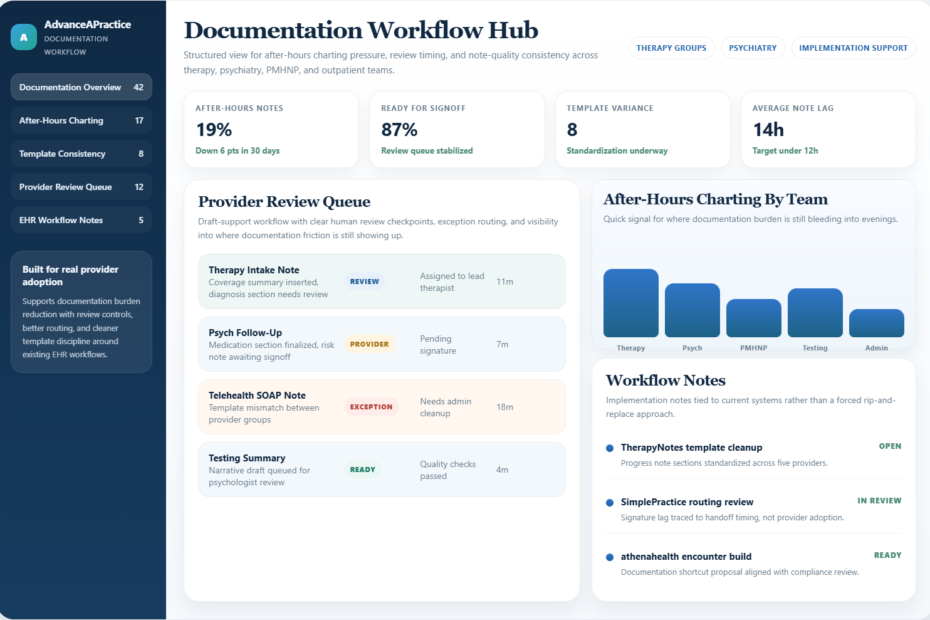
How It Works
Make Daily Work More Consistent
Identify What Needs Attention
We find where work gets dropped between people, what’s stuck, and which parts of the practice are working against each other.
Set A Weekly Review Schedule
We set the priorities with you, put a name on every task, and agree on a reporting rhythm the whole practice can keep.
Assign And Follow Up On The Work
We stay on the follow-through in billing, credentialing, intake and your systems, so a dropped task gets caught before it turns into a denied claim.
Who It’s For
Practices Past Startup, Not Yet Fully Staffed.
It fits best when you own a behavioral health practice and you’re still the only one holding every lane together.
Past Startup And Adding More Structure
You’re past startup, but you don’t have a full admin staff yet.
Multi-Provider Groups
Outpatient mental health groups that need a consistent back office.
Tried Outside Help Without Clear Ownership
You’ve outsourced billing or credentialing, and you’re still the one holding every piece together.
From A Real Engagement
The Balances Patients Called About Were Never Billed
At one practice, patients were complaining about large balances. The billing wasn’t the problem. The front office had entered insurance plans without an effective date, so the EHR silently never sent those claims. We fixed the affected accounts first, then changed how the front office enters coverage so it stopped happening.
How We Fix A Repeated Staff Handoff
We follow one recurring task from the first request through completion, then correct the point where information is lost, retyped, or left without a next action.
Watch The Work Happen
We review the actual intake, scheduling, authorization, billing, or credentialing steps with the people who perform them.
Reduce Duplicate Entry
We identify where staff repeat the same information and update the forms, shared records, or instructions to reduce that work.
Assign The Next Action
Each recurring task has a person responsible, a due or review rule, and a clear route for exceptions.
Test With Staff And Document It
Staff use the revised steps on a real or safe test case. We correct gaps and leave instructions that reflect what they actually do.
FAQ
Frequently Asked Questions
What Does Practice Operations Support Include?
A regular check-in on what’s open, what’s stuck and what needs your decision, with a name on every task. Someone follows through between billing, credentialing, intake, scheduling and the EHR, so a problem in one doesn’t quietly turn into a denial in another. When something’s missing, like a provider onboarding plan or a referral tracker, we build it.
What Does The Operations Partnership Cost?
It starts at $3,500 a month. We scope it on a short call, because a two-provider practice that needs credentialing and scheduling follow-through is a different job from a group that needs billing oversight, provider onboarding and owner reporting. The written scope lists the work, the monthly price and what stays with your staff.
In the first week of a recent engagement we executed the BAA, got Microsoft 365 access sorted with the practice’s IT provider, mapped an owner for billing, credentialing, onboarding and IT, and held the first standup.
Can You Help Us Scale Without Adding Chaos?
Yes. When you add a provider, a location or a service, we work out who owns each new task and what you need to see, so growth doesn’t outrun the way the practice runs.
How Does Operations Support Connect To Billing?
Most billing problems start upstream, in intake, scheduling, credentialing or documentation. A visit gets booked before the provider’s effective date with that payer, or a note doesn’t support the code, and the denial shows up later in billing. That’s why we treat operations and revenue as one system.
Do You Replace Our Staff Or Systems?
No. We work with your people and the systems you already run. What we add is follow-up. Someone tracks who’s doing what and chases it when something slips. If one workflow needs a real build, like a referral tracker, that’s an Automation Program.
What This Looks Like
A Spravato Program That Outgrew The EHR Calendar
One practice ran its Spravato program from an EHR calendar that only knew which room was open. It couldn’t show whether a patient had an authorization unit left, when that authorization ended or how the visit would be paid. We built a scheduler inside the Microsoft 365 the practice already pays for. It pulls the schedule from the EHR every 30 minutes, flags authorizations before they run out and keeps every visit that isn’t ready in one list, with the reason.
See the custom software we build
“They reorganized our workflows, improved how our team communicates, and brought in smart automation that saved us measurable time and money. The operational visibility alone has been a game-changer.”
What Would Fixing It Cost?
Ongoing Billing, Automation Programs and the Operations Partnership each have a published price and a written scope. Tell us what keeps going wrong, and we’ll point you to the right one.