Technology & Workflow Implementation

Custom Software & Automation for Behavioral Health Practices

We improve the systems your practice already uses, connect them through supported methods when needed, and leave your team with a tested workflow they can actually operate.

Built for Real Practice Operations

Start with the work—not a software name

AdvanceAPractice first traces the operational problem: what starts the work, where information comes from, who owns each step, what becomes overdue, and what evidence confirms completion. Then we decide whether the best answer is native configuration, a supported connection, a controlled tracker, or a documented manual path.

Healthcare operations professionals lead it

Your workflow is reviewed, designed, tested, and launched by healthcare operations professionals. Software handles defined, repeatable steps; people make the judgment calls, review exceptions, and remain accountable for the result.

Supported paths only

We begin with supported APIs, native connectors, webhooks, secure file exchange, or structured exports. If the vendor does not provide a safe supported connection, we document the manual fallback or scope another approach. We do not bypass MFA, CAPTCHA, vendor controls, or shared-access requirements.

A usable result

Your team receives the configured workflow, clear ownership, realistic testing, operating instructions, visible exceptions, and a defined next step—not a slide deck that leaves the fix to your staff.

What We Build

Practical improvements around the systems you already own

Custom forms and document workflows

Responsive branded forms with conditional questions, validation, attachments, approvals, electronic signatures through supported tools, PDF generation, reminders, status tracking, and defined handoffs.

Intake, scheduling, and front-desk workflows

Referral capture, missing-document follow-up, readiness checklists, waitlists, benefit-status visibility, scheduling prerequisites, work queues, and escalation when a handoff stalls.

Billing and credentialing work views

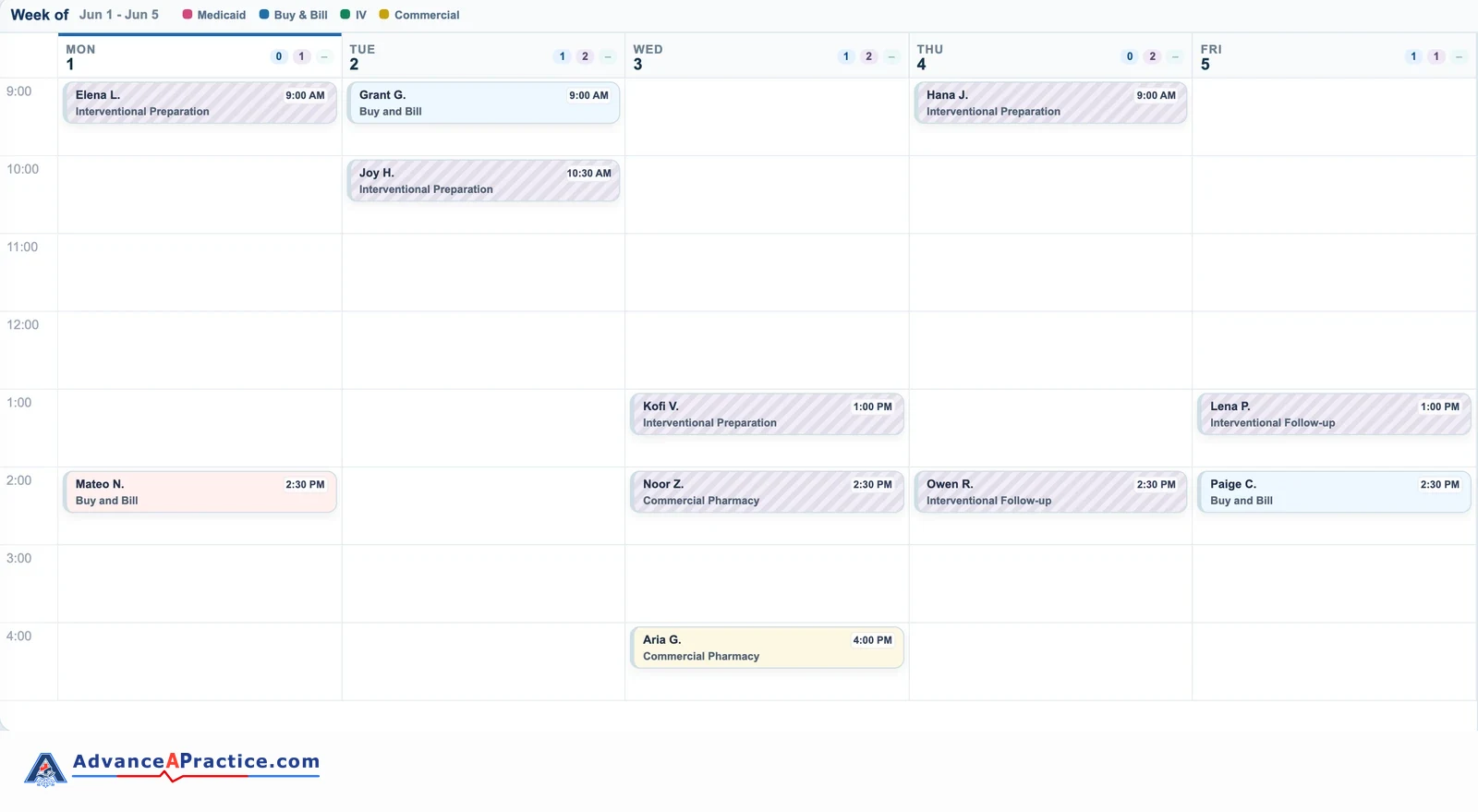
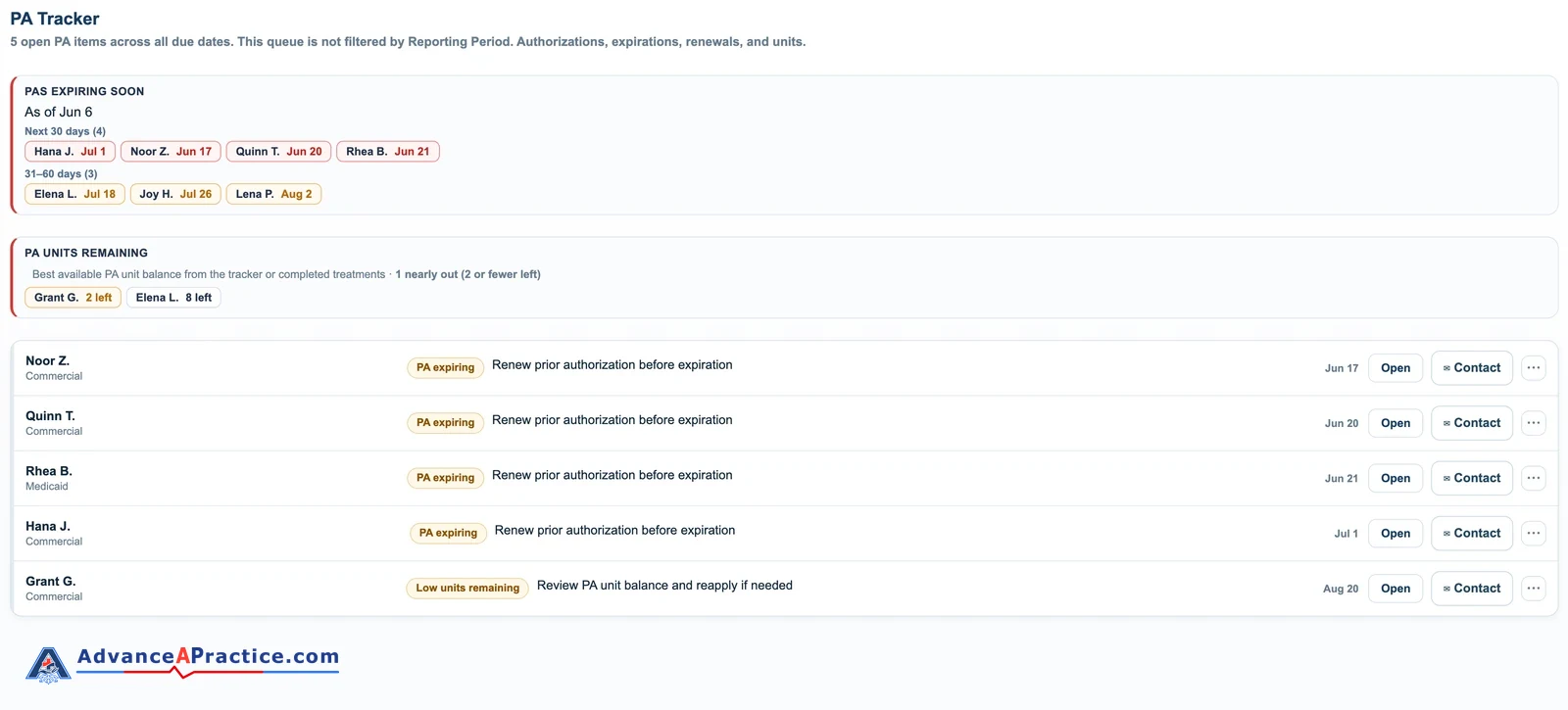
Queues and dashboards that show the payer or network, current stage, owner, next corrective action, due date, last contact, missing evidence, aging, and management attention.

Supported connections and reporting

APIs, OAuth, webhooks, FHIR resources, X12 files, SFTP, approved connectors, and structured exports—with validation, duplicate prevention, exception handling, audit evidence, and a manual fallback.

Technology, Explained by the Work It Improves

Use the systems you have better—then connect only what is safe and supportable

Behavioral-health practices often need intake, scheduling, authorization, credentialing, revenue-cycle, and management work to stay coordinated without turning software into a clinical decision-maker.

Expert-ledYour workflow is reviewed, designed, tested, and launched by healthcare operations professionals. Software handles defined, repeatable steps; people make the judgment calls, review exceptions, and remain accountable for the result.

Supported paths onlyWe begin with supported APIs, native connectors, webhooks, secure file exchange, or structured exports. If the vendor does not provide a safe supported connection, we document the manual fallback or scope another approach. We do not bypass MFA, CAPTCHA, vendor controls, or shared-access requirements.

How to read the platform lists: “Systems we work in” identifies environments where AdvanceAPractice can perform the relevant work when the customer’s edition, access, and available features support it. “Platforms we can evaluate or connect” means we will verify the exact product, edition, modules, permissions, interfaces, and vendor rules before committing to a configuration or connection.

Tier 1

Improve the systems your team already uses

We first look for a safe, maintainable correction inside the supported tools you already own. That can include native fields, forms, templates, statuses, queues, routing rules, permissions, reports, reminders, and dashboards.

  • EHR and practice-management workflows
  • Intake and scheduling workflows
  • Forms and document workflows
  • Billing, clearinghouse, and payer workflows
  • Credentialing and enrollment workflows
  • Reporting and data workspaces
  • Payer and provider portals
  • Microsoft 365 and SharePoint workspaces
  • Command Suite operating views
OutcomeForms that arrive complete and go to the right owner

What gets in the way: Staff retype information, chase missing answers, or receive forms through channels that do not show whether the next step is ready.

What changes: The form collects the agreed information, identifies what is missing, records receipt, and starts a visible follow-up step with a named owner.

What AdvanceAPractice does

  • Inventory one defined form set and the decisions each answer should support.
  • Configure supported required fields, conditional questions, receipt states, routing, and reminders.
  • Define who reviews exceptions and what confirms that the form is complete.

What your team receives

  • Configured form or form specification in the approved system
  • Field and decision map
  • Missing-information and exception workflow
  • Test scenarios and staff instructions

Systems we work in

  • Microsoft 365 — Forms, Word, Excel, SharePoint, and Power Automate
  • Google Workspace — Forms, Docs, Sheets, Drive, Shared Drives, and Apps Script
  • Command Suite forms, checklists, and work views
  • Customer-authorized PDF and document workflows

Platforms we can evaluate or connect

  • Native forms in Tebra/Kareo, Valant, TherapyNotes, SimplePractice, AdvancedMD, athenahealth, Epic, ICANotes, and Office Ally
  • Jotform, Formstack, Cognito Forms, Typeform, IntakeQ, Klara, Spruce Health, Phreesia, and custom secure intake on the customer’s site

Supported methods

  • Native form builders and document templates
  • Supported Microsoft 365 or Google Workspace APIs and connectors
  • Structured export, import, and controlled manual review

Access dependencies

The customer provides the licensed environment, an authorized administrator, approved form language, required permissions, and a safe testing path.

Important boundary: The customer approves clinical, legal, consent, and policy language. Electronic signatures are used only through a supported, authorized feature named in the scope.

OutcomeIntake work that stays visible from receipt to readiness

What gets in the way: Referrals, registrations, documents, or benefit checks sit in separate lists, so staff cannot see what is missing or who should act next.

What changes: Every included intake item has a status, owner, next action, due date, missing-information flag, and clear ready-to-schedule condition.

What AdvanceAPractice does

  • Map the included intake path from first receipt through the agreed completion point.
  • Configure supported checklists, statuses, work queues, ownership, aging, and escalation.
  • Test incomplete, duplicate, unreachable, and overdue examples with the staff who perform the work.

What your team receives

  • Visual intake workflow
  • Configured intake tracker or native work queue
  • Readiness checklist and exception rules
  • Role-based operating instructions

Systems we work in

  • Microsoft 365 — SharePoint, Forms, Excel, Outlook, and Power Automate
  • Google Workspace — Gmail, Calendar, Drive, Shared Drives, Docs, Sheets, Forms, and Apps Script
  • Tebra/Kareo intake and practice-management workflows
  • Command Suite intake trackers and management views

Platforms we can evaluate or connect

  • Intake capabilities in Valant, TherapyNotes, SimplePractice, AdvancedMD, athenahealth, Epic, ICANotes, and Office Ally
  • Jotform, Formstack, Cognito Forms, Typeform, IntakeQ, Klara, Spruce Health, Weave, Artera, Phreesia, Solutionreach, and NexHealth

Supported methods

  • Native EHR or PM tasks, statuses, queues, and reports
  • Supported APIs, webhooks, native connectors, and structured exports
  • Controlled tracker and manual fallback when a direct connection is unavailable

Access dependencies

We need the exact product and edition, authorized workflow access, representative non-production examples, current intake forms, role owners, and a customer decision-maker.

Important boundary: The workflow supports administrative intake. Licensed staff retain patient-care decisions, clinical screening, and clinical urgency decisions.

OutcomeScheduling that respects prerequisites, cadence, and ownership

What gets in the way: Appointments are offered before prerequisites are complete, follow-up cadence is difficult to see, or cancellations and authorization limits do not reach the correct person.

What changes: Schedulers can see when an item is ready, what blocks it, who owns the blocker, and what should happen after a cancellation, expiration, or missed handoff.

What AdvanceAPractice does

  • Define the administrative conditions that make the included appointment type ready to schedule.
  • Configure supported statuses, tasks, reminders, queues, and management views.
  • Create exception routes for missing documents, authorization issues, conflicts, and overdue follow-up.

What your team receives

  • Ready-to-schedule workflow and checklist
  • Configured queue, tracker, or management report
  • Exception and escalation rules
  • Test cases and staff instructions

Systems we work in

  • Tebra/Kareo scheduling and practice-management workflows
  • Microsoft 365 — Outlook, SharePoint, Excel, and Power Automate
  • Command Suite scheduling-readiness and exception views

Platforms we can evaluate or connect

  • Scheduling functions in Valant, TherapyNotes, SimplePractice, AdvancedMD, athenahealth, Epic, ICANotes, and Office Ally
  • Google Calendar, Gmail, Google Voice, Sheets, and Workspace APIs when the customer’s configuration and terms support the use case
  • Calendly, Acuity Scheduling, Microsoft Bookings, Cal.com, YouCanBook.me, Zocdoc booking feeds, and supported EHR-native scheduling

Supported methods

  • Native scheduling, task, reminder, and status features
  • Supported calendar or messaging APIs and webhooks
  • Structured appointment export with an assigned exception queue

Access dependencies

The customer supplies authorized scheduling access, appointment types, location and provider rules, prerequisite definitions, communication approvals, and test calendars or test records.

Important boundary: The workflow organizes administrative scheduling. Treatment cadence, medical necessity, clinical appropriateness, and patient-care decisions remain with the qualified clinical team.

OutcomeRevenue-cycle work queues that show the next corrective action

What gets in the way: Eligibility failures, rejections, denials, posting differences, or aging balances recur without a consistent owner, deadline, or preventive correction.

What changes: The responsible team can separate payer behavior from controllable workflow problems, work the next action, and see aging, repeat causes, and overdue items.

What AdvanceAPractice does

  • Trace representative transactions through the included eligibility, claim, remittance, posting, and follow-up stages.
  • Configure supported queues, categories, assignments, deadlines, reports, and management checks.
  • Document which correction belongs to staff, the biller, a system administrator, or the payer.

What your team receives

  • Denial and payment-resolution tracker
  • Defined cause and next-action categories
  • Management dashboard for aging and recurring issues
  • Ownership, escalation, and weekly-review instructions

Systems we work in

  • Tebra/Kareo billing and revenue-cycle workflows
  • Customer-authorized clearinghouse and payer portals
  • Microsoft 365 — Excel, SharePoint, and Power Automate
  • Command Suite revenue-cycle trackers and dashboards

Platforms we can evaluate or connect

  • Office Ally, Availity, Change Healthcare / Optum, Waystar, TriZetto Provider Solutions, Claim.MD, Apex EDI, Inovalon, ABILITY Network, and Zelis
  • Billing and report capabilities in AdvancedMD, athenahealth, Epic, Valant, TherapyNotes, SimplePractice, and ICANotes
  • Google Sheets, BigQuery, and Cloud Storage for approved reporting or reconciliation designs
  • Supported X12 837, 835, 270/271, 276/277, 277CA, 999, and 834 transaction paths

Supported methods

  • Native reports, work queues, remittance files, and clearinghouse exports
  • Supported APIs, SFTP, webhooks, and structured export or import
  • Controlled reconciliation when a supported automated path is unavailable

Access dependencies

We need authorized access to the included EHR or PM system, clearinghouse, payer response files, current billing workflow, representative transactions, and the person who can approve corrections.

Important boundary: Technology supports the work but does not guarantee reimbursement, payer response, recovery, coding accuracy, or permanent denial prevention.

OutcomeCredentialing records that show the real payer stage

What gets in the way: Carrier names, products, portals, rosters, applications, follow-up dates, and effective-date evidence are mixed together or tracked without a reliable next action.

What changes: Each included payer relationship shows the exact product or network, current stage, owner, next action, due date, missing item, last contact, and written outcome evidence.

What AdvanceAPractice does

  • Confirm the practice, Tax ID, NPI, provider, product, network, service area, and application path for the included work.
  • Organize payer portals, roster or affiliation steps, application evidence, follow-up, and written status.
  • Configure a credentialing work view that distinguishes preparation, payer review, contract, loading, and effective-date stages.

What your team receives

  • Payer and network work plan
  • Credentialing status tracker with next actions
  • Document and portal checklist
  • Follow-up cadence and escalation record

Systems we work in

  • CAQH/DataSpring Provider Data Portal and customer-authorized payer or enrollment portals
  • Microsoft 365 — SharePoint, Excel, Outlook, and Power Automate
  • Command Suite credentialing milestones, evidence, and next-action views

Platforms we can evaluate or connect

  • Availity and payer-specific roster, contracting, EFT, ERA, and enrollment paths
  • Provider and group enrollment features in Tebra/Kareo, Office Ally, AdvancedMD, athenahealth, and other customer systems when supported
  • Verifiable, Medallion, CertifyOS, Modio Health, symplr, MedTrainer, IntelliSoft, OIG LEIE, SAM.gov, state exclusion lists, and NPDB query workflows
  • Google Workspace — Gmail, Drive, Shared Drives, Docs, Sheets, Forms, and Workspace APIs for an approved operating design

Supported methods

  • Provider-owned portals, payer rosters, documented forms, and written correspondence
  • Supported portal exports, APIs, secure file exchange, and structured trackers
  • Documented manual follow-up where payer portals provide no safe connection

Access dependencies

The practice provides correct legal, Tax ID, NPI, license, ownership, contract, service-area, payer-product, portal, and contact information. Providers retain their own credentials and attestation duties.

Important boundary: Providers complete and attest their own CAQH/DataSpring Provider Data Portal profile. AdvanceAPractice never requests the provider’s CAQH password. Payer participation, decisions, effective dates, and processing time remain outside our control.

OutcomeReports that tell managers what needs attention

What gets in the way: Teams export numbers that do not share definitions, omit the next action, or require managers to inspect several systems before knowing where work is stuck.

What changes: Managers receive a defined view of workload, aging, overdue work, exceptions, ownership, and completion—with a traceable source for each measure.

What AdvanceAPractice does

  • Define each included measure, source field, time window, owner, and management decision.
  • Reconcile representative source records before relying on a count or trend.
  • Configure supported filters, status labels, aging bands, exception flags, and review cadence.

What your team receives

  • Measure and source-field dictionary
  • Configured tracker, report, or dashboard
  • Exception and aging views
  • Management review checklist

Systems we work in

  • Microsoft 365 and Azure — Excel, SharePoint, Power BI, Power Automate, and approved Azure data services
  • Command Suite operational and revenue-cycle dashboards
  • Structured reports and exports from Tebra/Kareo and authorized payer or clearinghouse systems

Platforms we can evaluate or connect

  • Google Workspace and Google Cloud — Sheets, Workspace APIs, service accounts, BigQuery, and Cloud Storage
  • Reporting capabilities in Valant, TherapyNotes, SimplePractice, AdvancedMD, athenahealth, Epic, ICANotes, and Office Ally
  • Snowflake, PostgreSQL, SQL Server, Microsoft Fabric and Synapse, Azure Data Factory, Looker Studio, Tableau, Metabase, Sigma, Excel, and Google Sheets

Supported methods

  • Native reports and scheduled supported exports
  • Supported APIs, secure file exchange, structured imports, and approved data connectors
  • Defined manual reconciliation for measures that cannot be sourced reliably another way

Access dependencies

The customer provides the source definitions, authorized report access, representative records, reporting period, decision owners, and approval for any Microsoft 365, Azure, Google Workspace, or Google Cloud configuration.

Important boundary: A report is only as reliable as the agreed source data and definitions. AdvanceAPractice identifies known data limitations and does not present estimates or incomplete sources as verified results.

OutcomeEHR workflows that reduce duplicate lists and missed handoffs

What gets in the way: The EHR is functioning, but its templates, queues, statuses, reports, permissions, or routing do not match how the team needs to complete the work.

What changes: The included workflow runs through supported native features with visible ownership, prerequisites, exceptions, and completion evidence.

What AdvanceAPractice does

  • Observe the included workflow in the specific product, edition, modules, and permissions available to the customer.
  • Configure supported native tasks, queues, statuses, templates, reports, reminders, fields, routing, or permissions.
  • Test realistic scenarios and document the approved production behavior.

What your team receives

  • Current and improved workflow maps
  • Documented native configuration changes
  • Role-based operating instructions
  • Test results and launch confirmation

Systems we work in

  • Tebra/Kareo native practice-management, scheduling, billing, task, and report workflows
  • Microsoft 365 and Command Suite operating layers around the source-of-record system

Platforms we can evaluate or connect

  • Behavioral health platforms including Valant, TherapyNotes, SimplePractice, ICANotes, Osmind, Alleva, Kipu, Ritten, Sunwave, Qualifacts CareLogic and Credible, Netsmart myEvolv and myAvatar, Welligent, TheraNest, Sessions Health, Luminello, Jane, and Healthie
  • Physician and multispecialty platforms including Epic, Oracle Health, athenahealth, eClinicalWorks, NextGen, Greenway Intergy, AdvancedMD, DrChrono, Elation Health, Charm Health, Practice Fusion, ModMed, RXNT, CareCloud, Praxis EMR, and Meditech
  • The specific product edition, enabled modules, administrator permissions, exports, APIs, FHIR resources, and vendor rules available to the customer

Supported methods

  • Supported native configuration before adding another tool
  • Documented APIs, vendor-supported FHIR, webhooks, SFTP, or structured exports when needed
  • Visible manual fallback when the product does not expose a safe supported connection

Access dependencies

We need the exact product, edition, version, modules, role permissions, vendor restrictions, authorized administrator, representative test cases, and a customer-approved testing and production-change process.

Important boundary: Listing an EHR category does not mean every product, edition, module, or version supports every change. Replacement, migration, new interfaces, and unsupported vendor functionality require separate scope.

Tier 2

Connect or extend those systems when the path is supported

When native configuration cannot solve the full problem, we evaluate a documented connection or a controlled workflow around it. A supported connection validates its input, prevents predictable duplicates, records what happened, routes exceptions to a named owner, and preserves a practical manual fallback.

  • Documented APIs, OAuth 2.0, and scoped service accounts
  • FHIR R4, HL7 v2, X12 EDI, and C-CDA where supported
  • Verified webhooks and approved native connectors
  • SFTP, PGP-encrypted exchange, and structured files
  • Duplicate prevention, bounded retries, and exception queues
  • Audit events, monitoring, alerts, and recovery instructions
  • Documented manual fallback with a named owner
OutcomeConnections that fail visibly instead of silently

What gets in the way: Staff copy information between systems, reconcile disconnected lists, or learn about a failed transfer only after the downstream work is already late.

What changes: The supported connection validates input, prevents predictable duplicates, records what happened, routes exceptions to an owner, and preserves a usable manual fallback.

What AdvanceAPractice does

  • Verify the source, destination, authorization method, supported data path, volume, and operational owner.
  • Build the agreed API, FHIR, webhook, SFTP, approved-connector, or structured-file path when supported.
  • Add bounded retries, audit events, alerts, exception handling, monitoring, and recovery instructions.

What your team receives

  • Connection and data-flow map
  • Configured supported connection
  • Exception queue and monitoring view
  • Administrator guide and manual fallback
  • Named owner for every automated step

Systems we work in

  • Microsoft 365 and Azure — Microsoft Graph, SharePoint, OneDrive, Exchange Online, Teams, Planner, Bookings, Power Automate, Power Apps, Power BI, SPFx, Entra ID, Azure Functions, storage, and monitoring where approved
  • Google Workspace — Gmail, Calendar, Drive, Shared Drives, Docs, Sheets, Forms, Meet, Voice, Chat, Apps Script, Admin Console, Vault, Cloud Identity, and authorized service accounts
  • Command Suite — our hosted application, public API, scoped service tokens, outbound webhooks, and report ingestion
  • Tebra/Kareo supported exports, reports, and approved appointment, encounter, and claims paths
  • Slack workflow handoffs; Stripe and QuickBooks Online commerce and reconciliation; WordPress and WooCommerce purchase and lead paths
  • Zoom, Microsoft Teams, and Google Meet attendance, recording handoff, transcript routing, and meeting workflows

Platforms we can evaluate or connect

  • Documented API, FHIR, HL7, X12, webhook, SFTP, connector, and export paths for EHRs, practice-management systems, clearinghouses, payers, credentialing platforms, labs, pharmacies, and interoperability networks
  • Supported intake, scheduling, communications, signature, storage, project-management, CRM, marketing, finance, payroll, security, reporting, automation, and AI platforms named in the proposed scope
  • Google Cloud — BigQuery, Cloud Storage, Cloud Healthcare API, Vertex AI, and approved identity or service-account patterns

Supported methods

  • Supported APIs, native connectors, OAuth 2.0, OpenID Connect, scoped tokens, service accounts, and vendor-supported FHIR
  • Verified webhooks with signature validation, SFTP, PGP-encrypted exchange, HL7 v2, X12 EDI, C-CDA, and structured export or import
  • Field-level allowlists, duplicate prevention, idempotency keys, bounded retries, dead-letter and exception routing, audit events, monitoring, and a documented manual fallback

Access dependencies

The customer must provide authorized accounts, vendor approval where required, suitable licenses, test access, scopes and permissions, data definitions, volume expectations, and a named administrator who can approve production use.

Important boundary: We begin with supported APIs, native connectors, webhooks, secure file exchange, or structured exports. If the vendor does not provide a safe supported connection, we document the manual fallback or scope another approach. We do not bypass MFA, CAPTCHA, vendor controls, or shared-access requirements.

OutcomeA tested operating change—not a technology recommendation alone

What gets in the way: A tool is selected or configured without clear ownership, realistic testing, exception handling, staff instructions, or a plan for what happens when the normal path fails.

What changes: The team receives the implemented work, a visual process, realistic validation, operating instructions, named ownership, and a defined stabilization period when included in the Order Form.

What AdvanceAPractice does

  • Confirm the current workflow, intended result, users, permissions, dependencies, and measurable completion point.
  • Show the improved process—what happens, who owns each step, which system they use, when it is due, and what happens when something goes wrong.
  • Implement the agreed scope, test realistic examples, train the responsible staff, and document operation and recovery.

What your team receives

  • Visual workflow and ownership guide
  • Configured tool, workflow, or connection named in the scope
  • Test evidence and correction record
  • Staff instructions and administrator guide

Systems we work in

  • Microsoft 365 and Azure environments authorized by the customer
  • Tebra/Kareo operational workflows and approved exports
  • Command Suite workspaces, trackers, dashboards, and accountability views

Platforms we can evaluate or connect

  • Google Workspace administration — Admin Console, Cloud Identity, Vault, Apps Script, Workspace APIs, and service accounts
  • Google Cloud services — BigQuery, Cloud Storage, and Cloud Healthcare API
  • Customer EHR, PM, scheduling, billing, clearinghouse, credentialing, forms, document, reporting, and interoperability platforms named in the proposed scope

Supported methods

  • Native configuration and documented operating procedures
  • Supported connectors, APIs, FHIR, webhooks, SFTP, and structured exports
  • Realistic testing, staff approval, controlled launch, monitoring, exception response, and manual recovery

Access dependencies

The customer provides authorized administrators, licenses, vendor approvals, test users or test records, system owners, staff participation, decision authority, and an approved change window. Third-party delays can pause delivery.

Important boundary: Compatibility, access, vendor approval, customer participation, and third-party response can affect scope and timing. AdvanceAPractice confirms the supported path before promising a build or production change.

Representative Platform Directory

More examples of systems we can evaluate or connect

The exact product, edition, modules, permissions, data path, vendor approval, and customer access are confirmed before we promise a connection.

EHR and practice management
  • Behavioral health: Valant, TherapyNotes, SimplePractice, ICANotes, Osmind, Alleva, Kipu, Ritten, Sunwave, Qualifacts CareLogic and Credible, Netsmart myEvolv and myAvatar, Welligent, TheraNest, Sessions Health, Luminello, Jane, Healthie, and Carepatron.
  • Physician and multispecialty: Epic, Oracle Health (Cerner), athenahealth, eClinicalWorks, NextGen, Greenway Intergy, AdvancedMD, DrChrono, Elation Health, Charm Health, Practice Fusion, ModMed, RXNT, CareCloud, Praxis EMR, and Meditech.
Claims, enrollment, and clinical exchange
  • Office Ally, Availity, Change Healthcare / Optum, Waystar, TriZetto Provider Solutions, Claim.MD, Apex EDI, Inovalon, ABILITY Network, Zelis, payer portals, Medicaid systems, MAC portals, PECOS, and TRICARE.
  • CAQH/DataSpring Provider Data Portal, NPPES, state licensing systems, Medallion, Verifiable, CertifyOS, Modio Health, symplr, MedTrainer, Surescripts, Spravato REMS, Labcorp, Quest, Redox, Health Gorilla, Particle Health, Zus Health, CommonWell, Carequality, and supported HIE or QHIN paths.
Intake, scheduling, and communications
  • Jotform, Formstack, Cognito Forms, Typeform, Microsoft Forms, Google Forms, IntakeQ, Klara, Spruce Health, Weave, Artera, Phreesia, Solutionreach, NexHealth, Calendly, Acuity Scheduling, Microsoft Bookings, and Cal.com.
  • Twilio, RingCentral, Dialpad, OpenPhone, Google Voice, Nextiva, Zoom Phone, Slack, Microsoft Teams, Google Chat, Zoom, Google Meet, Doxy.me, Webex, Front, Help Scout, Zendesk, Freshdesk, Paubox, Virtru, SRFax, Updox, and Documo mFax.
Documents, signatures, and work management
  • DocuSign, Adobe Acrobat Sign, SignNow, Dropbox Sign, Box Sign, SharePoint, OneDrive, Google Drive and Shared Drives, Dropbox Business, Box, Egnyte, Amazon S3, and Azure Blob Storage.
  • Asana, Monday.com, ClickUp, Trello, Jira and Confluence, Linear, Notion, Smartsheet, Basecamp, Wrike, Airtable, Coda, Microsoft Planner and Lists, Loom, and Guru.
Growth, finance, and the back office
  • HubSpot, Salesforce and Health Cloud, Zoho CRM, Pipedrive, Mailchimp, ActiveCampaign, WordPress, WooCommerce, Webflow, Squarespace, Google Business Profile, Yext, BirdEye, Psychology Today, Zocdoc, Healthgrades, Alma, Headway, Grow Therapy, Rula, and SonderMind.
  • QuickBooks Online and Desktop, Xero, Stripe, Square, Authorize.net, Bill.com, Expensify, Ramp, Brex, Gusto, Rippling, ADP, Paylocity, Paycom, BambooHR, Paychex, When I Work, Checkr, and Sterling.
Data, automation, security, and AI
  • Power Automate, Azure Logic Apps, Google Apps Script, Zapier, Make, n8n, Workato, Tray.io, Retool, BigQuery, Snowflake, PostgreSQL, SQL Server, Microsoft Fabric and Synapse, Azure Data Factory, Power BI, Looker Studio, Tableau, and Metabase.
  • Entra ID, Okta, Google Cloud Identity, JumpCloud, Duo, 1Password, Bitwarden, Intune, Purview, Jamf, CrowdStrike, Vanta, Drata, Azure OpenAI Service, Anthropic Claude, Google Gemini and Vertex AI, AWS Bedrock, Abridge, Nabla, Freed, Eleos Health, Upheal, Mentalyc, Whisper, Deepgram, and AssemblyAI.

How Implementation Works

From operational problem to a tested production workflow

1. Define the failure and finish line

We confirm the included workflow, users, systems, volume, current workaround, risks, and the evidence that will show the corrected process is working.

2. Verify access and connection options

We check the customer’s product edition, permissions, licensing, vendor documentation, API or export availability, and the people who must approve access.

3. Configure or build the agreed solution

We create the workflow, tracker, dashboard, form, native configuration, or supported connection named in the scope and make failures visible to a real owner.

4. Test, train, and launch

Your staff tests realistic scenarios. AdvanceAPractice corrects included defects, records the final behavior, trains the responsible roles, and leaves operating and recovery instructions.

Planning an EHR change? Read what to verify before you sign.

Start With One Workflow

Show us where the work keeps breaking down

We will help determine whether the right next step is a fixed-scope implementation package or a scoped build that depends on vendor access, data, or multiple systems.

Book a 20-Minute Practice Fit Call