
Custom Software · Spravato Programs
How We Built A Spravato Program Scheduler
A Spravato program runs on more than an open room. Before a visit is ready, someone has to know where the patient’s authorization stands, how many units are left, when it ends and how the visit gets paid. The EHR calendar only knew which room was open. So we built a scheduler around the way the staff work, inside the Microsoft 365 the practice already pays for.
Build Around The Workflow, Not Over It
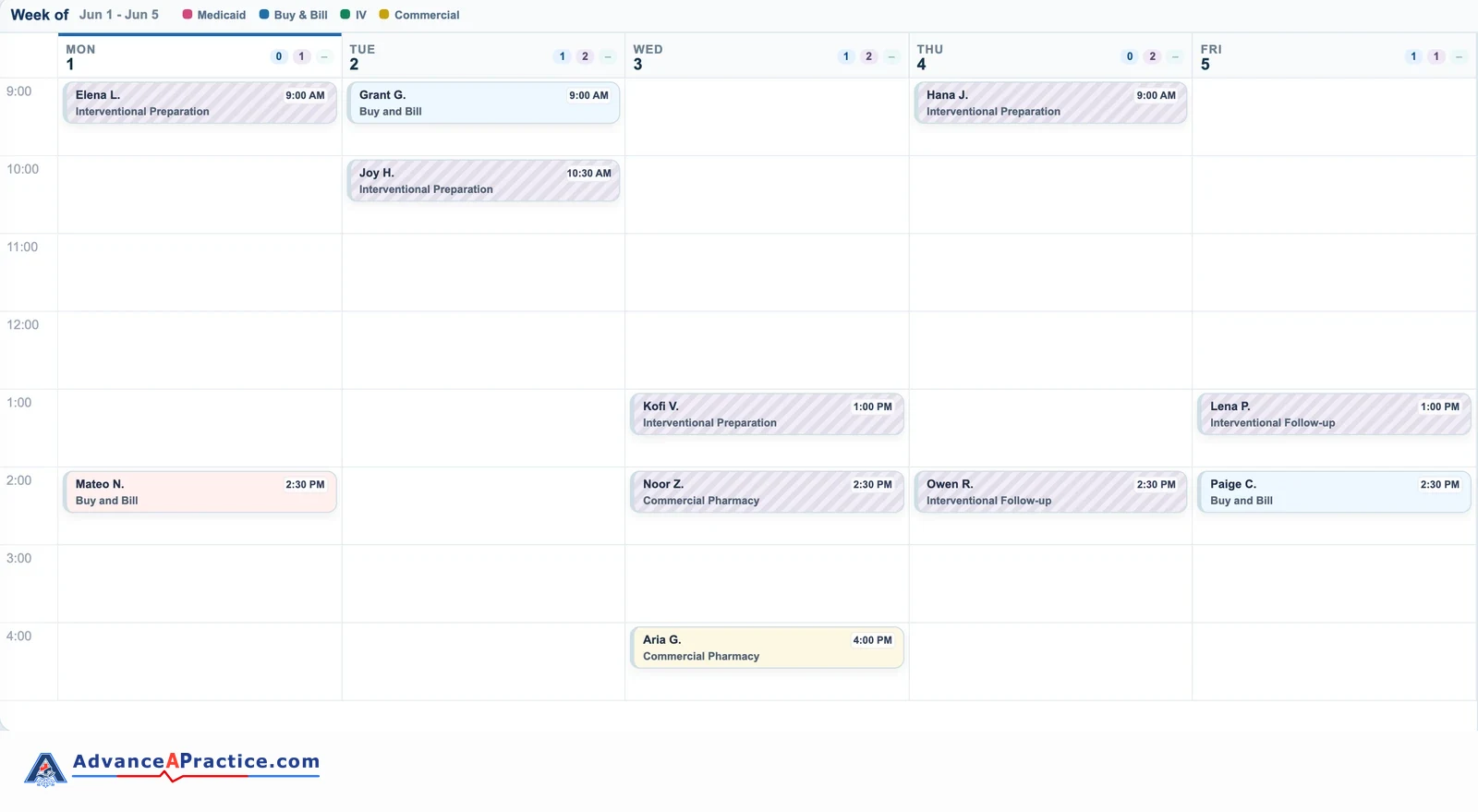
We sat with the scheduling team before deciding what to build. Booking a Spravato patient means knowing the authorization dates, the units left, the room time and the follow-up status at the same moment, and no single screen showed all of it. The scheduler puts those in one place and leaves the EHR as the record.
What The Scheduler Shows
- Every visit on the week view, colored by how it’s paid for: Medicaid, buy and bill, commercial pharmacy or IV.
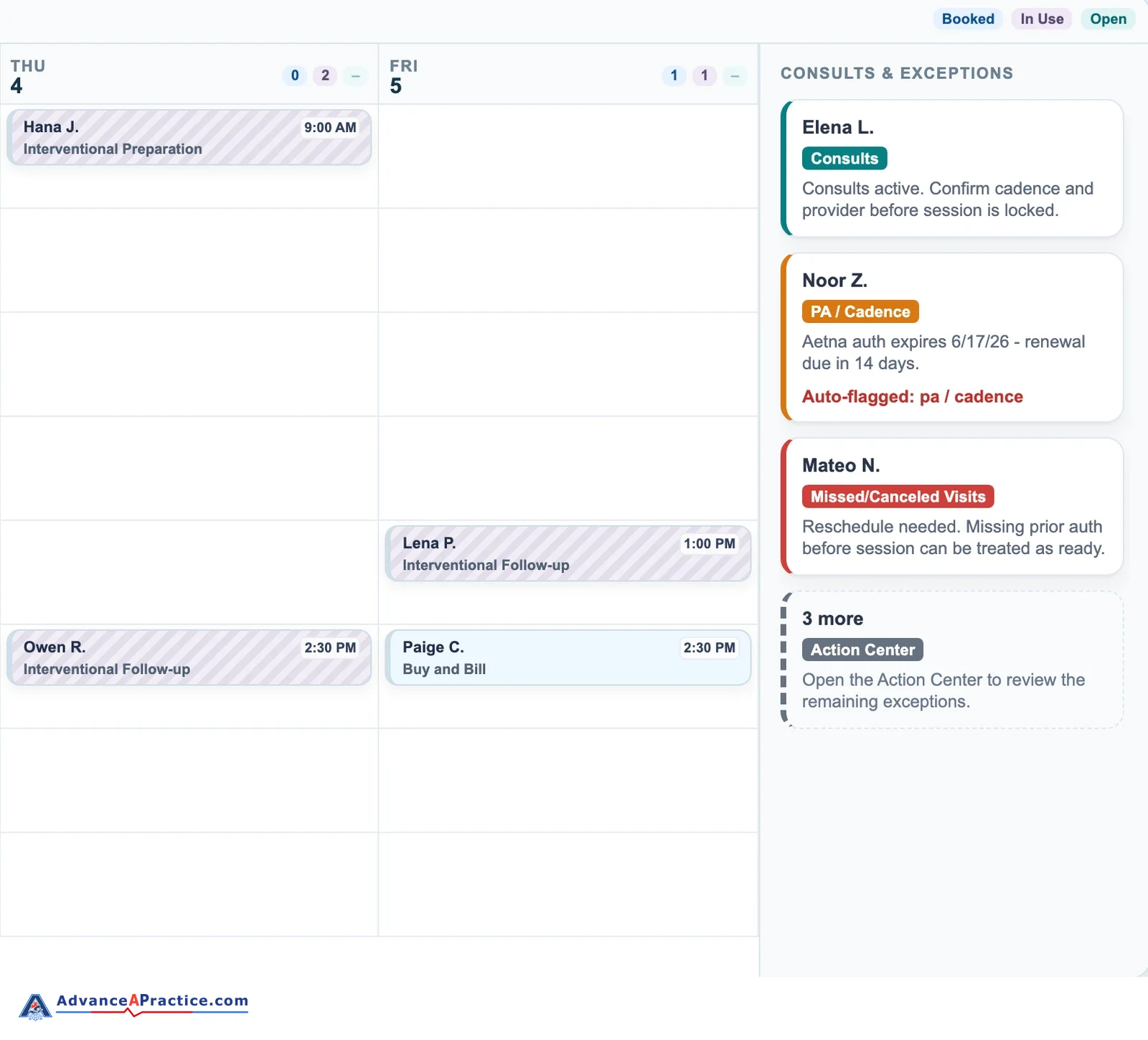
- An exceptions rail that names each visit that can’t be treated as ready, and why.
- A PA tracker with authorizations ending in the next 30 and 60 days and patients down to their last units.
- Reschedule and follow-up lists, so a missed visit or a gap between visits doesn’t fall off the calendar.
- A referral pipeline by stage, with a flag when nobody has made contact recently.
- An Issues & Requests panel, so staff can report a problem without leaving the scheduler.
It handles the administrative side of scheduling, and no clinical decision runs through it.


How It Stays Current
-
The Export Runs Itself
Every 30 minutes an automated export pulls the schedule from the EHR. It pulls two windows, because the EHR caps one export at 60 days, and merges about 90 days.
-
SharePoint Checks And Logs It
The file lands in SharePoint, where it’s checked, archived and logged as a sync.
-
A Watchdog Checks The Data
A freshness watchdog looks at how old the newest data is, because a run can report success and still deliver nothing.
-
Staff See When It Synced
The scheduler reloads every 30 minutes and shows when it last synced. Nothing writes back to the EHR.
The export started on an office computer. It now runs on a hosted machine in the practice’s Microsoft cloud, so nobody has to keep a desk PC switched on for the schedule to stay current.
Tested Before Staff See It
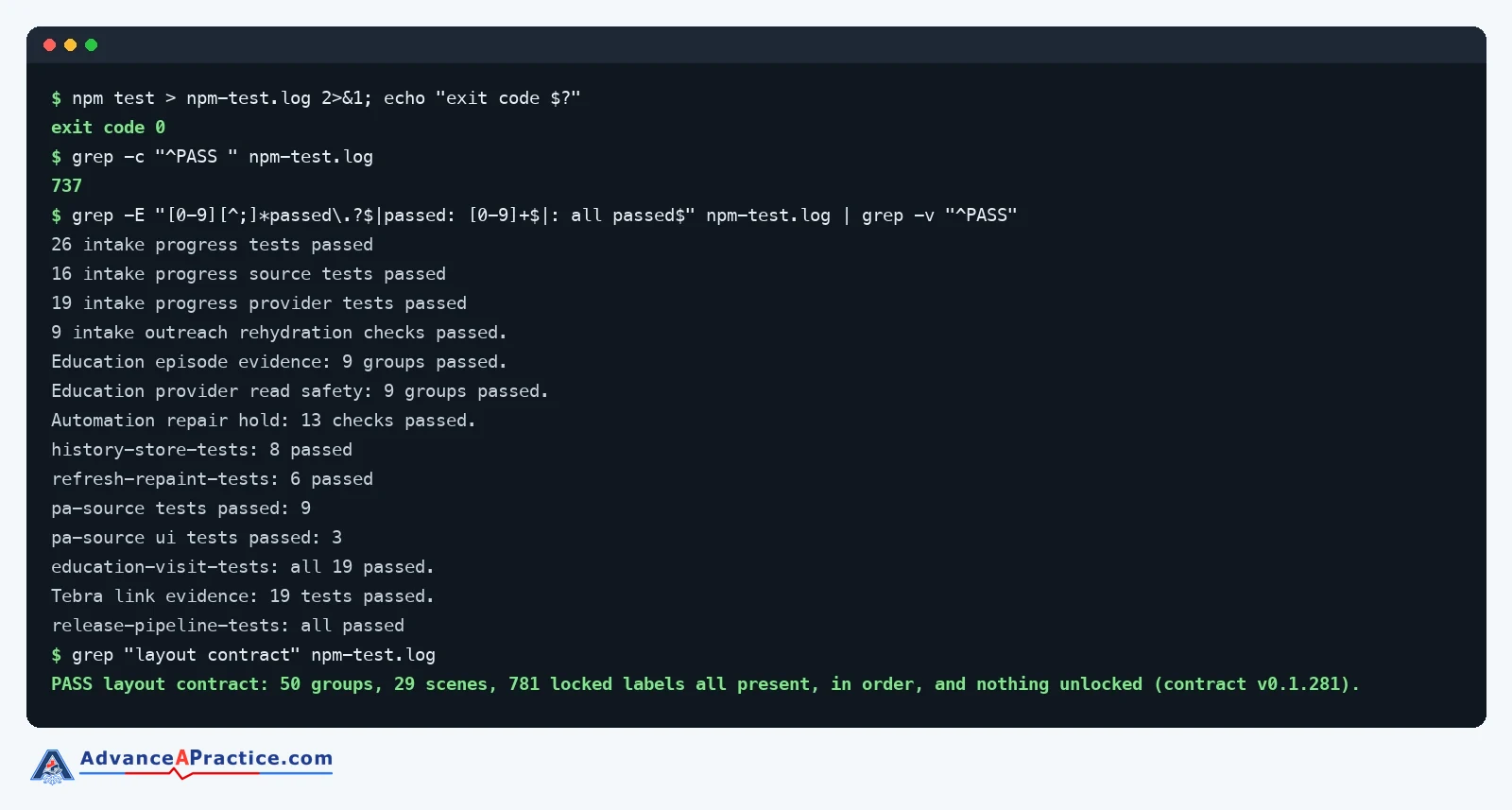
- Every Release Tested First Every release runs the scheduler’s automated test suite first, 737 checks at the latest count.
- Faster Search We cut search from most of a second to under a millisecond.
Where The Scheduler Fits
The scheduler came out of a wider operations engagement that covered intake handoffs, who does what on staff, reporting and the numbers leadership uses to run the program.
A tool like this works once the steps around it are sorted out. Build it first and you’ve automated a mess.
Have A Program Your EHR Calendar Can’t Hold?
A scheduler like this one starts as an Automation Program: one workflow built start to finish in your own systems for $5,000, or 4 monthly payments of $1,250, with 30 days of fixes after go-live. Bigger builds are priced in writing first. The same approach works for TMS and ketamine programs.
Build Around The Systems You Already Use
We build workflows, trackers, and automation around EHRs, Microsoft 365, Google Workspace, payer portals, forms, scheduling, reporting, and the other systems your staff already use.